

E-Safety information and advice
At Brightwell cum Sotwell CofE Primary School we are committed to ensuring that pupils are safe when using the internet at school and are keen to support parents/ carers in doing this at home.
We ask parents/carers to be interested and supportive when monitoring their children’s use of the internet. This page has been designed to give you information that will support you in this role.
When online, children and young people can learn new things, get help with their homework, express themselves creatively and connect with friends and family. There are also risks, but by understanding and talking about the dangers you can help keep your child safe online. Remember, as they grow children are always using the newest apps and social media sites - it is unlikely that they will be using what you use.
The NSPCC visits the school and speaks with all children through assemblies and workshops as part of the "Speak out. Stay Safe" programme and Safer Internet Day is celebrated every year with the messages reinforced throughout the year as part of both our Computing and PSHE curriculums.
Safer Internet Day 2026
‘Smart tech, safe choices – Exploring the safe and responsible use of AI’.
Everyone’s talking about AI, and with many children and young people hearing about and using AI online, it’s important they have the skills and confidence to make safe choices when they are using smart technology.
This Safer Internet Day explored the impact of AI on all of our lives, looking at how AI can be used for good, and giving advice and guidance that empowers people to use AI safely and responsibly.
Why not try this quiz and see just how much you know:
The following resources may also be helpful:
Twinkl Educational Publishing - 5 Top Tips to Stay Safe Online VIDEO
Digital Safety at a glance for 5-7 year olds WEBSITE QUICK TIPS DOCUMENT
Digital Safety at a glance for 8-10 year olds WEBSITE QUICK TIPS DOCUMENT
Digital Safety at a glance when moving to secondary school WEBSITE QUICK TIPS DOCUMENT
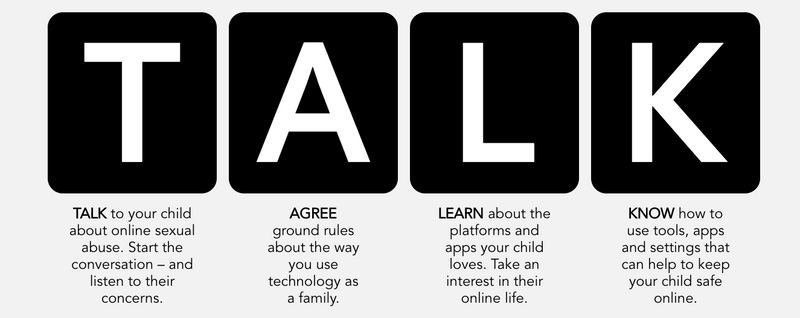
Not sure where to start?
Read this - "Five top tips to manage children's screen time"
Key rules for your child
- Think before you send a picture or message about yourself or any other person. It doesn’t take long for it to be shared with every single person you know. What you think of as a joke might be really upsetting for the other person.
- Never give out personal information when it can be shared with others. You may trust your new friends but you don’t know his or her friends.
- Treat your password like your toothbrush – don’t share it with anyone!
- If you receive nasty messages, texts, comments etc, block the person sending them and always report it to an adult (your parent, teacher).
- Don’t reply to a bullying message but do keep it – whether it is a picture, message or online posting.


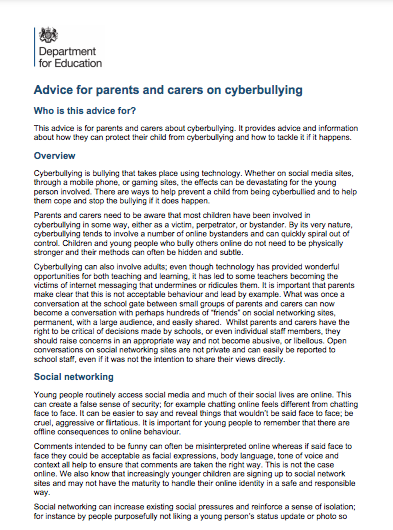
If your child is being cyberbullied
- Make sure your child does not retaliate or reply to cyberbullying messages of any kind
- If you need to, you can help your child to change their contact details (email, online username, mobile phone number).
- Use the security tools on your family’s computer, on websites or on your child’s mobile phone.
- Save evidence of offending emails, text messages or online conversations.
- Report cyberbullying. You can report the incident to school, the website or service provider, and, in serious cases, the police.
